Managing your plan and billing
You manage your plan from your MembersIntel account under Settings → Plan & Billing — your site connection isn’t affected when you switch. This section shows your current tier and lets you manage your subscription: update your card, view invoices, or cancel.
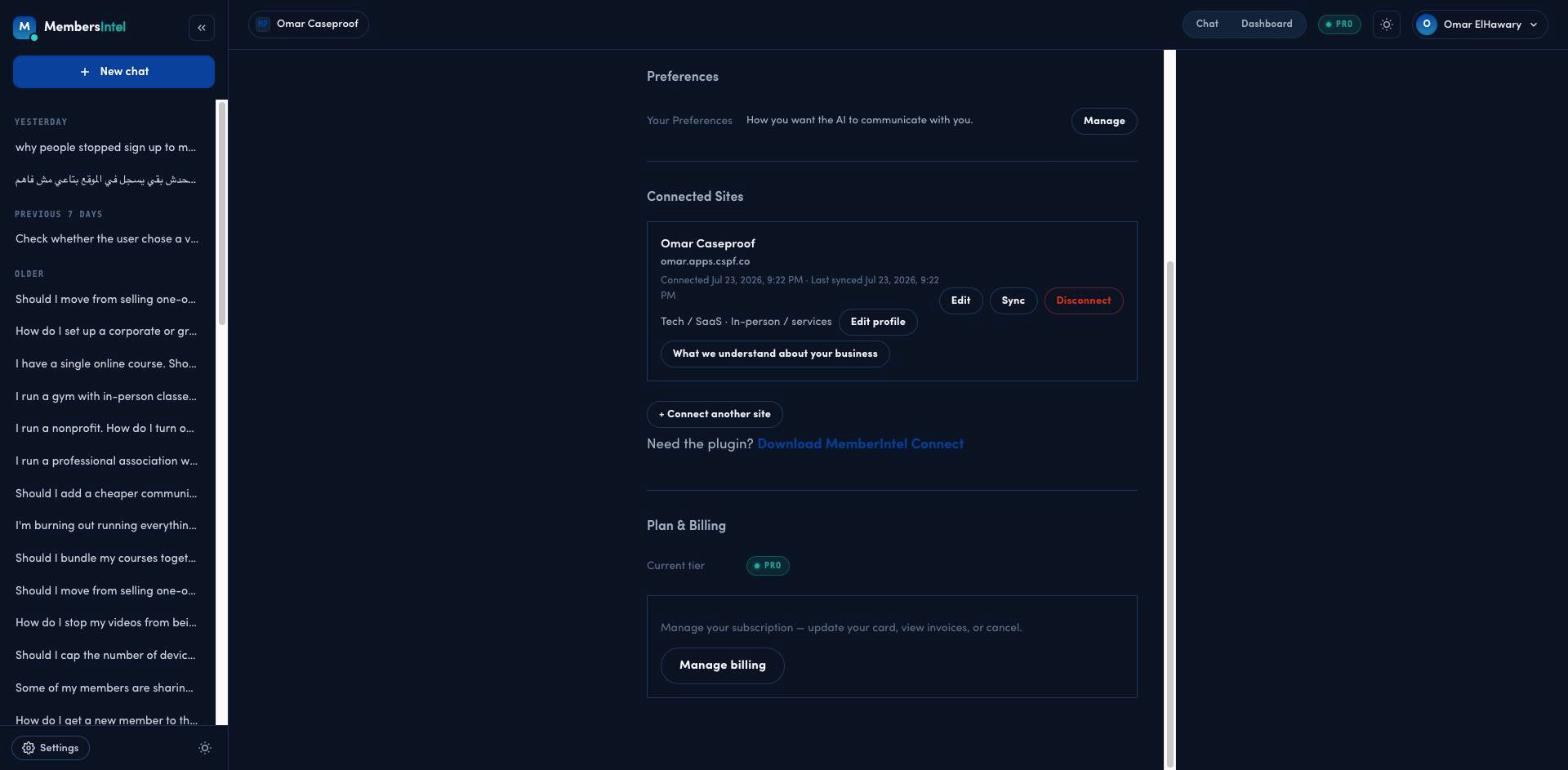
Upgrading to Pro
Go to Settings → Plan & Billing and upgrade from there. Pro adds a daily-refreshed dashboard, deeper analysis over your full synced history, insight cards, and more — see Free vs. Pro for the full list.
Moving back to Free
You can move back to Free at any time from Settings → Plan & Billing. Your connected site and synced history stay intact — downgrading only changes what the advisor can access and how much you can use it, not your data.
What changing plans doesn’t touch
- Your site connection — the MembersIntel Connect plugin keeps syncing regardless of plan.
- Your synced history — it stays in your account through upgrades and downgrades.
For current plan details and pricing, see Settings → Plan & Billing in your MembersIntel account.
FAQ
Will I lose my data if I downgrade?
No. Your connected site and synced history stay intact. Downgrading only changes what the advisor can access and how much you can use it — not the data itself.
Can I change plans whenever I want?
Yes. Upgrade to Pro or move back to Free at any time from Settings → Plan & Billing. The change applies to your account, not your site connection.