Understanding your churn rate
Churn is one of the headline numbers on your dashboard. It’s the metric most membership owners watch closest, because small changes compound over time.
What it means
Your churn rate is a percentage for your whole site: the share of members who canceled over a given period. It is not a per-member score — it’s a site-level rate. A churn rate of 2.1%, for example, means about 2 in every 100 members canceled in that window.
MembersIntel shows churn as a rate and, where there’s enough history, how it’s trending compared with the previous period — so you can see whether it’s rising or falling, not just where it sits today.
Why it moves
Churn spikes usually trace back to a handful of causes: a price change, failed or expired payments, a content gap that left members feeling they’d got what they came for, or a seasonal pattern. The number itself won’t tell you which — that’s what the advisor is for.
Getting the story behind the number
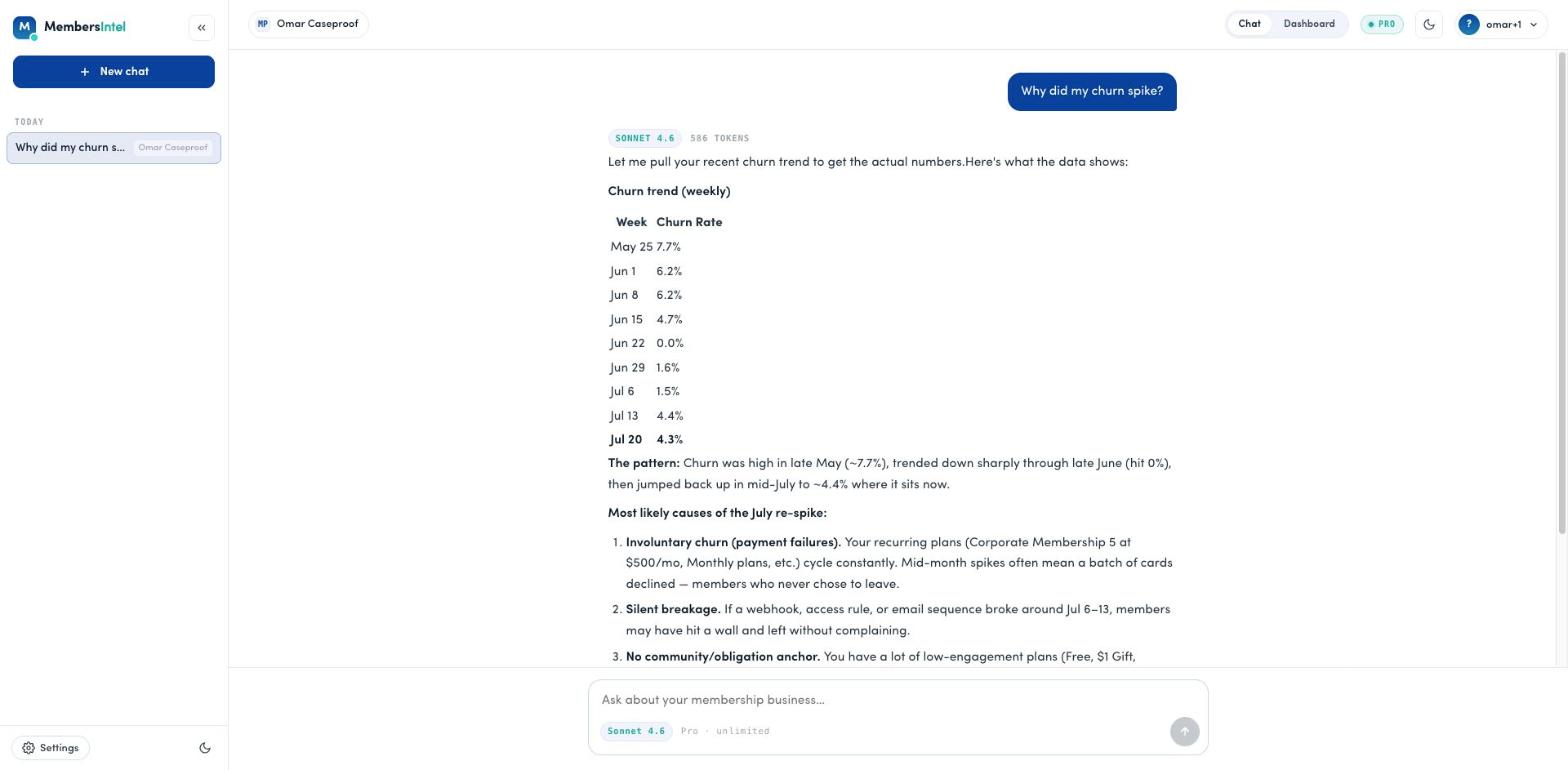
When churn moves and you want to know why, ask in chat:
Why did my churn spike last week?
MembersIntel looks at your actual cancellations — segmented by tier, timing, and payment status — and explains what it sees. From there you can ask follow-ups like “which members are most at risk?” or “what would win them back?”
See also Your dashboard for the other metrics MembersIntel tracks.
FAQ
Is churn a score for each member?
No. Churn is a rate for your whole site — the share of members who canceled over a period, shown as a percentage. If you want to know which individual members are at risk, ask the advisor and it will reason over your data.
What's a good churn rate?
It depends on your price point, niche, and how long members have been with you. Rather than chase a benchmark, watch your own trend over time and ask the advisor what's driving changes.