Your dashboard
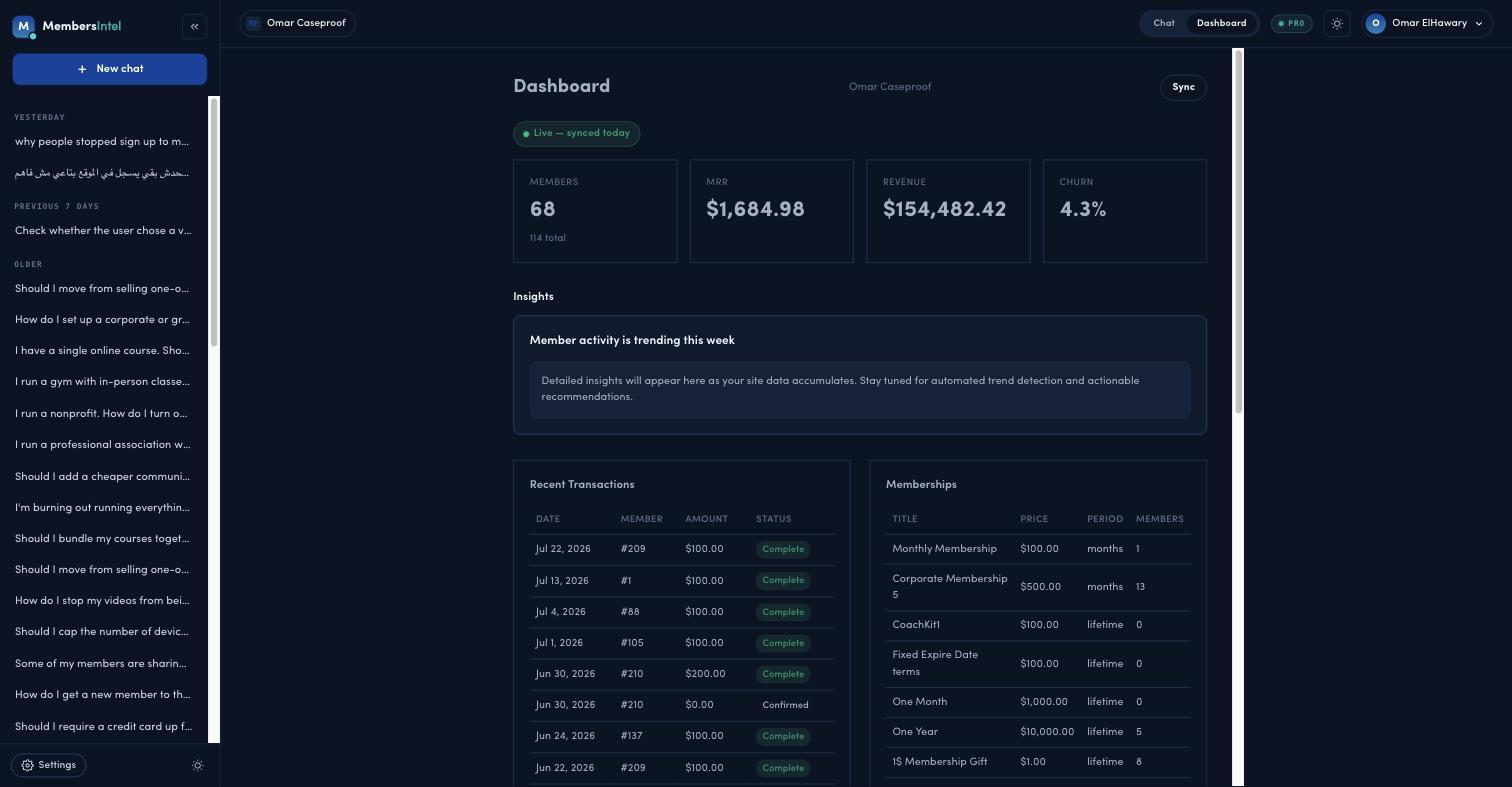
Your dashboard is the at-a-glance view of your membership business. It pulls the headline numbers out of your synced MemberPress data so you can see how the site is doing without running reports.
What’s on it
Across the top, four cards show the headline numbers for your membership business:
- Members — how many active members you have, with your all-time total.
- MRR — monthly recurring revenue.
- Revenue — total revenue collected.
- Churn — the rate at which members are canceling, shown as a percentage (see Understanding your churn rate).
Below the cards you’ll find an Insights section that surfaces what’s trending on your site, a Recent Transactions list, and your Memberships with their prices and member counts.
A status line shows when your data last synced (for example, “Live — synced today”), and a Sync button lets you refresh on demand — see Managing your connection. For more on the Insights section, see Insight cards and the weekly digest.
How often it refreshes
On Pro, the dashboard refreshes daily. On Free, you get a monthly snapshot. In both cases the figures come from your most recent completed sync through the MembersIntel Connect plugin, so if something looks out of date, check your sync status first.
From a number to an answer
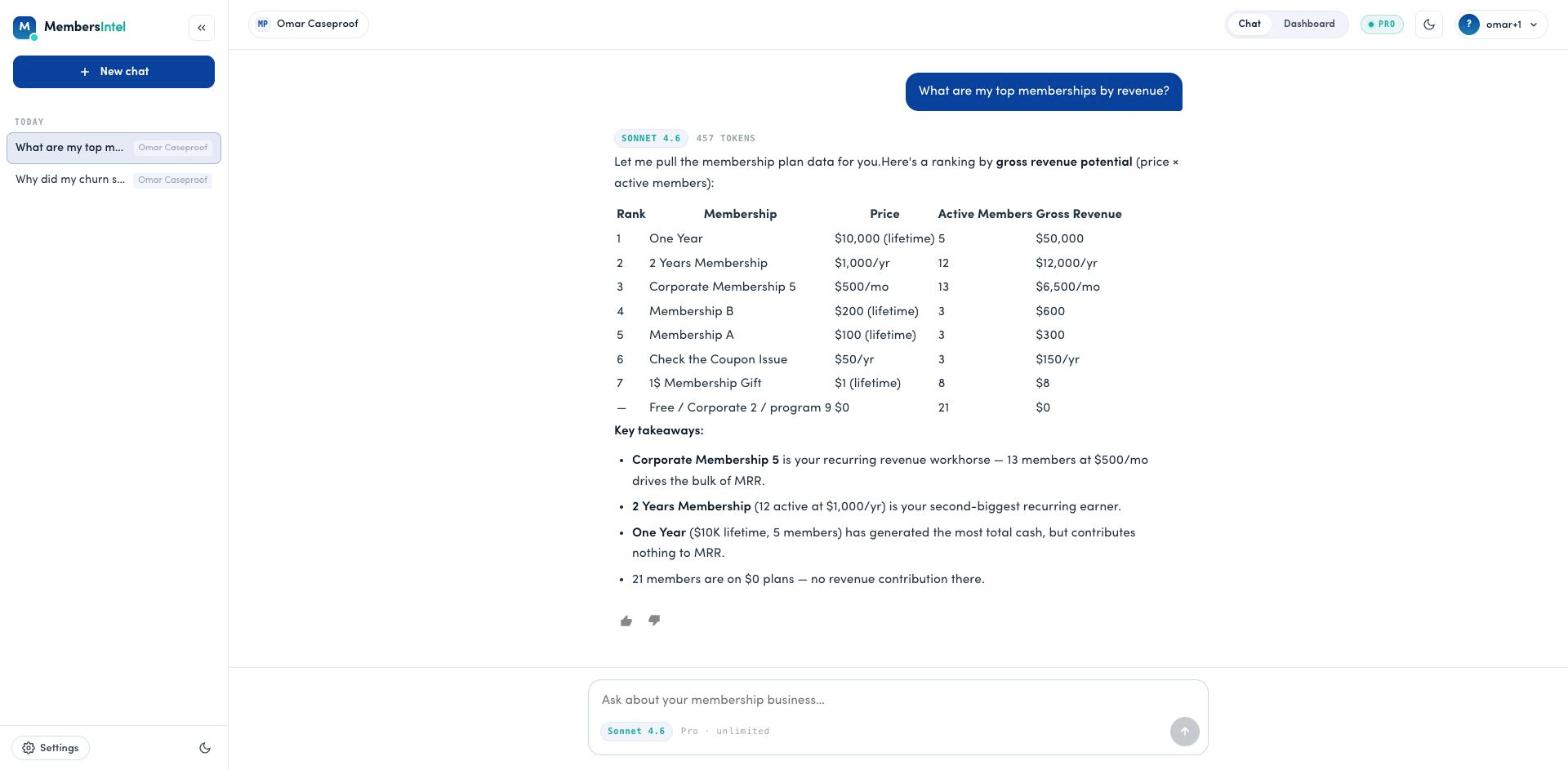
The dashboard tells you what changed; the advisor tells you why. If a metric moves and you want the story behind it, ask in chat — “What are my top memberships by revenue?” or “Why did MRR drop this month?” — and MembersIntel answers from the same underlying data.
FAQ
How often does the dashboard update?
On Pro, the dashboard refreshes daily. On Free, you get a monthly snapshot. Either way the numbers come from your latest MemberPress sync.
Why don't my dashboard numbers match MemberPress exactly?
The dashboard reflects your most recent completed sync, so very recent changes may not appear until the next sync. If numbers look stale, check your sync status in Settings → Connected Sites.